
You can use the Raw Syslog Forwarder (RSF) to collect logs from different sources and forward the raw messages to a remote server in a Fabric-enabled LogPoint.
To use the raw syslog forwarder, you need to follow these steps:
Add Remote Targets
Add devices
Note
You can configure raw syslog forwarder in Fabric-enabled LogPoint v7.0.0 and later only.
Fabric-enabled LogPoint collects and forwards the raw syslog messages from the devices.
Go to Configure >> Entities >> Raw Syslog Forwarders.
Select the LogPoint where you want to configure the raw syslog forwarder.
Click Next.
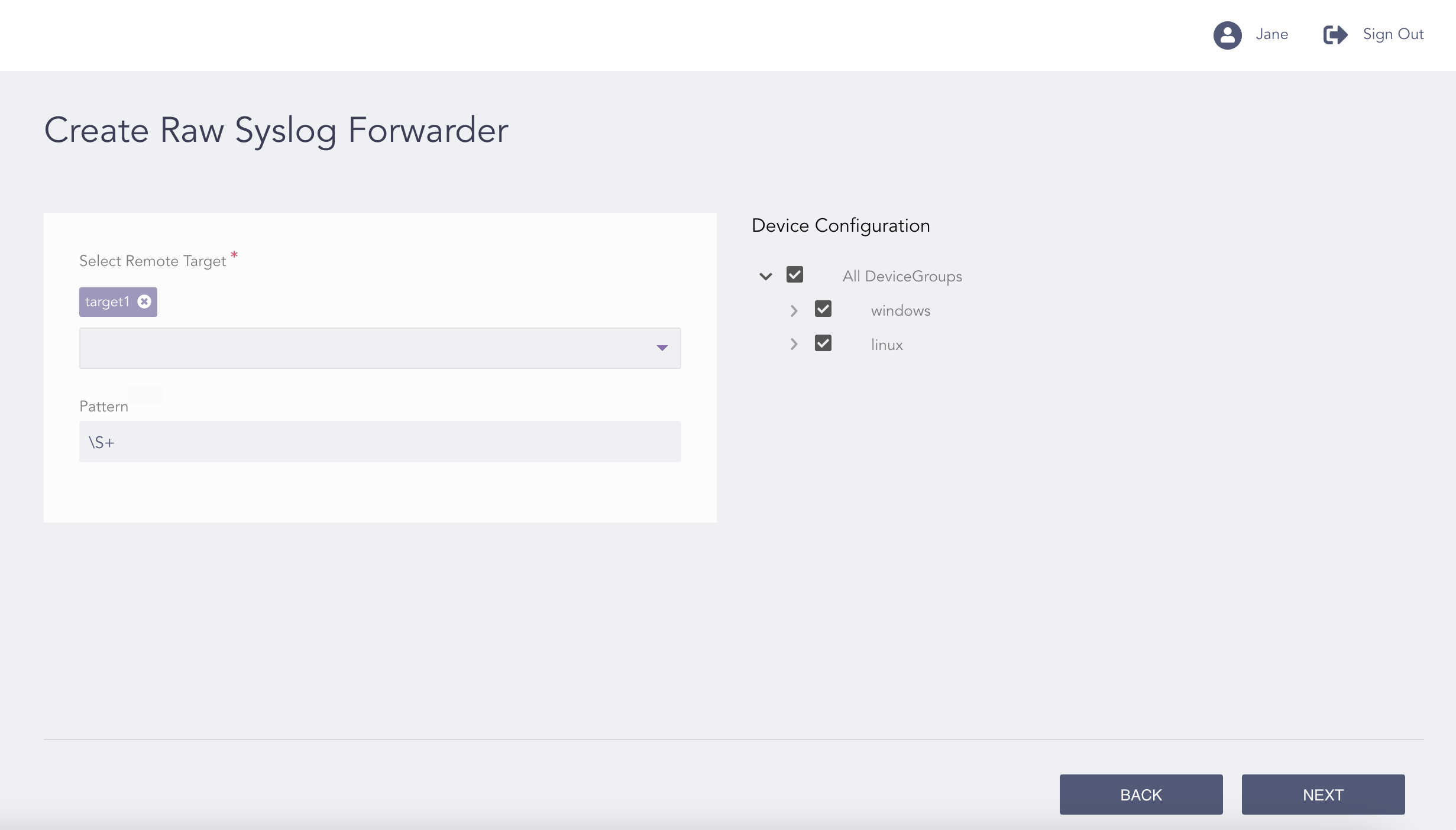
Configuring the Raw Syslog Forwarder
Select Remote Target.
Enter the regex Pattern.
Under Device Configuration, select the device groups and devices from which the raw syslog messages are collected and forwarded.
Click Next.
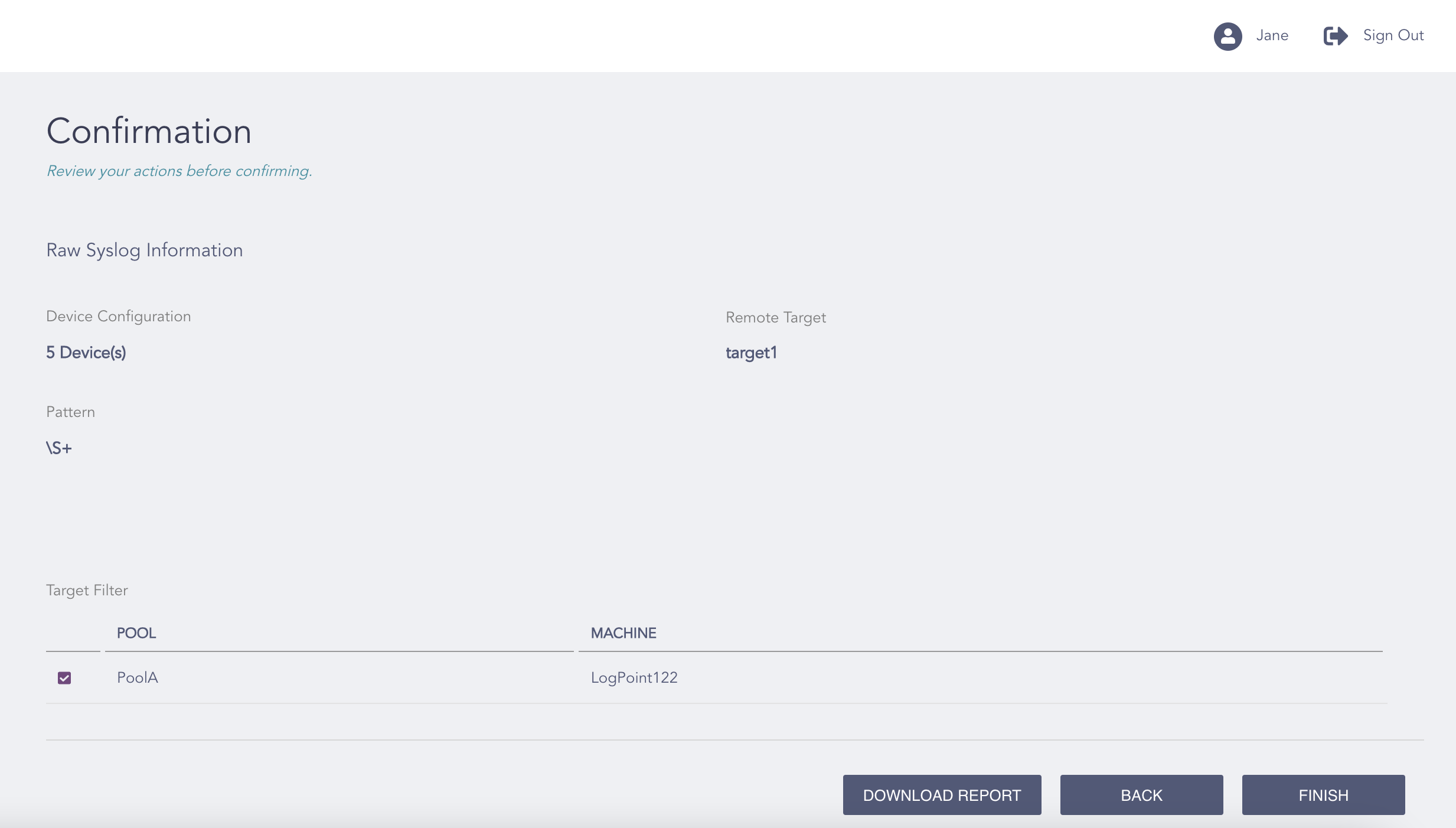
Confirming the Changes
Review your changes. You can go Back to make any changes if necessary.
Note
Click Download Report to save the summary of the task in PDF.
Click Finish.
Click OK.